Skip to content
Free · common photo sizes · 6 countries

Free ID photo maker, in the size you need.

Upload or take one photo. ID Photo removes the background with AI, places your head on the guides for the size you pick and exports a digital file plus a print-ready sheet. No account needed.

ID Photo makes portrait photos only. It does not create or edit documents of any kind.

  • AI cutoutclean background, hair kept
  • 300–600 DPIprint-ready export
  • No accountfree to use
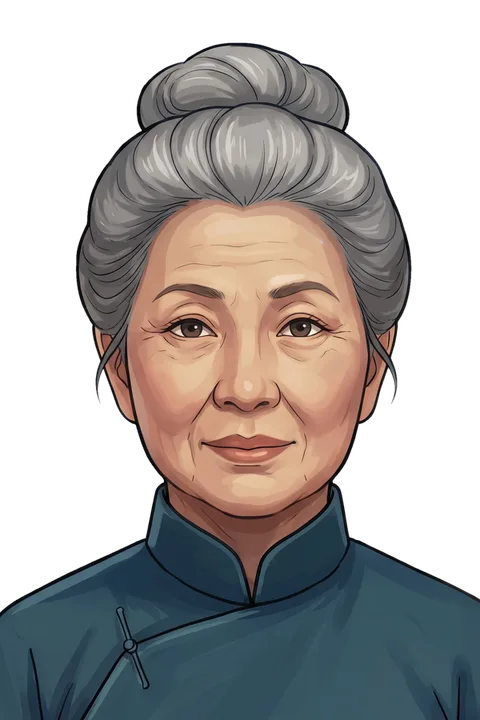
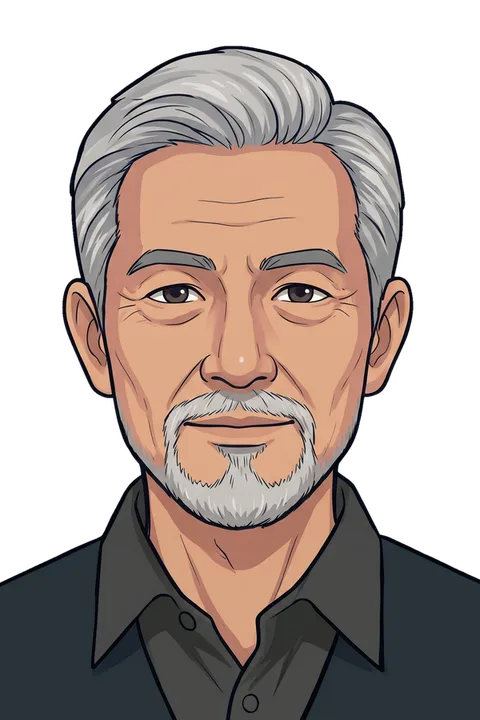
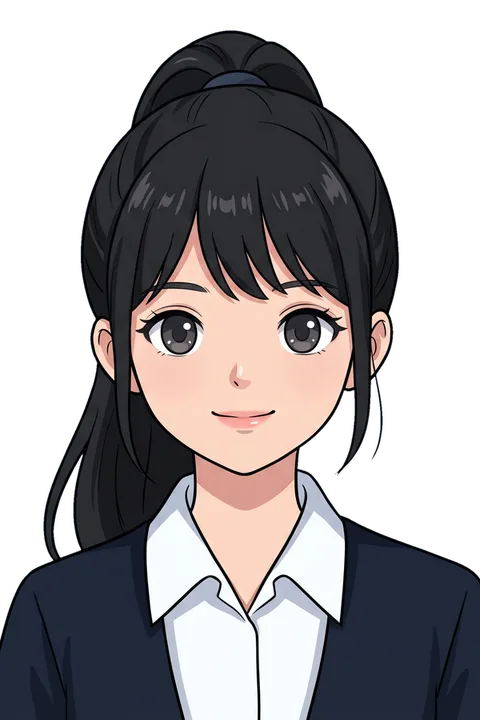
Illustrated sample ID photo of a woman on a light blue backgroundIllustrated sample ID photo of a man, head placed on the size guidesIllustrated sample ID photo of a girl on a red background

Before you upload

  • Plain wall behind you, even light on the face
  • Neutral expression, mouth closed, eyes open
  • No hat, no sunglasses, no heavy shadows
  • Shoulders visible, head centred

To remove the background, your photo is sent over HTTPS to our AI server. It is never used for advertising. Projects you save stay in this browser.

Popular photo sizes

Each size comes with its ratio and head-height guide. Pick one and upload your photo.

See all photo sizes

Sample photos drawn to scale

How it works

How to make an ID photo online in 3 steps

The editor does the measuring, so you only fine-tune.

01 · Measure

Head on the size guides

Your face is found in the browser and placed on the crown, eye and chin lines of the size you chose. Head height is shown in millimetres.

ID photo with crown, eye and chin guide lines and the head height in millimetres
  • Crown & chin
  • Eye line
  • Head31 mm
  • 35 × 45 mm · United Kingdom

02 · Background

Clean background in one tap

AI removes the background and keeps hair edges. Choose white, light blue, blue, red or any colour you need.

Illustrated sample ID photo of a woman on a light blue backgroundOriginal
Original

03 · Export

Digital file and print sheet

Download a JPG, PNG or PDF at the exact pixel size, or a 4×6 / A4 sheet with several copies and cut lines.

4 × 6 in sheet+ digital photo, 300–600 DPIPrint at home or at a photo shop
Size directory · 6 countries

Photo sizes by country

Every size comes with its head height and top margin, so the editor can check your framing. Pixel sizes are exported at print resolution.

US6 sizes

United States

Common in the US: a 2 × 2 in (51 × 51 mm) square. The guide places the head at about 31 mm from chin to crown; plain white or off-white backgrounds are typical.

Sample ID photo, 2 × 2 in, 50.8 × 50.8 mm (United States)
50.8×50.8
Sample ID photo, 1 × 1 in, 25.4 × 25.4 mm (United States)
25.4×25.4
Sample ID photo, 35 × 45 mm (United States)
35×45
Drawn to scale
  • 2 × 2 in

    Size
    50.8 × 50.8 mm
    Pixels
    600 × 600 px
    Head height
    31 mm
    Top margin
    8 mm
  • 1 × 1 in

    Size
    25.4 × 25.4 mm
    Pixels
    600 × 600 px
    Head height
    15 mm
    Top margin
    4 mm
  • 35 × 45 mm

    Size
    35 × 45 mm
    Pixels
    827 × 1063 px
    Head height
    31 mm
    Top margin
    5 mm
  • 1.5 × 1.5 in

    Size
    38.1 × 38.1 mm
    Pixels
    900 × 900 px
    Head height
    24 mm
    Top margin
    6 mm
  • 1.5 × 2 in

    Size
    38.1 × 50.8 mm
    Pixels
    900 × 1200 px
    Head height
    31 mm
    Top margin
    7 mm
  • 2 × 3 in

    Size
    50.8 × 76.2 mm
    Pixels
    1200 × 1800 px
    Head height
    42 mm
    Top margin
    9 mm
300–600 DPI
VN9 sizes

Vietnam

Four sizes common in Vietnam: 3 × 4 cm, 4 × 6 cm, 2.5 × 3.5 cm and 3.5 × 4.9 cm.

Sample ID photo, 3 × 4 cm, 30 × 40 mm (Vietnam)
30×40
Sample ID photo, 4 × 6 cm, 40 × 60 mm (Vietnam)
40×60
Sample ID photo, 2 × 3 cm, 20 × 30 mm (Vietnam)
20×30
Sample ID photo, 35 × 45 mm (Vietnam)
35×45
Drawn to scale
  • 3 × 4 cm

    Size
    30 × 40 mm
    Pixels
    709 × 945 px
    Head height
    26 mm
    Top margin
    5 mm
  • 4 × 6 cm

    Size
    40 × 60 mm
    Pixels
    945 × 1417 px
    Head height
    38 mm
    Top margin
    7 mm
  • 2 × 3 cm

    Size
    20 × 30 mm
    Pixels
    472 × 709 px
    Head height
    19 mm
    Top margin
    3.5 mm
  • 2.5 × 3.5 cm

    Size
    25 × 35 mm
    Pixels
    591 × 827 px
    Head height
    23 mm
    Top margin
    4 mm
  • 3.5 × 4.9 cm

    Size
    35 × 49 mm
    Pixels
    827 × 1158 px
    Head height
    32 mm
    Top margin
    5 mm
  • 35 × 45 mm

    Size
    35 × 45 mm
    Pixels
    827 × 1063 px
    Head height
    32 mm
    Top margin
    5 mm
  • 5 × 5 cm

    Size
    50 × 50 mm
    Pixels
    1181 × 1181 px
    Head height
    31 mm
    Top margin
    8 mm
  • 3 × 3 cm

    Size
    30 × 30 mm
    Pixels
    709 × 709 px
    Head height
    20 mm
    Top margin
    4 mm
  • 4.5 × 4.5 cm

    Size
    45 × 45 mm
    Pixels
    1063 × 1063 px
    Head height
    32 mm
    Top margin
    5 mm
600 DPI
JP9 sizes

Japan

Common in Japan: 35 × 45 mm, with the head guide at about 34 mm from chin to crown. A 45 × 45 mm square is also common.

Sample ID photo, 35 × 45 mm (Japan)
35×45
Sample ID photo, 45 × 45 mm (Japan)
45×45
Sample ID photo, 24 × 30 mm (Japan)
24×30
Sample ID photo, 30 × 40 mm (Japan)
30×40
Drawn to scale
  • 35 × 45 mm

    Size
    35 × 45 mm
    Pixels
    827 × 1063 px
    Head height
    34 mm
    Top margin
    3 mm
  • 45 × 45 mm

    Size
    45 × 45 mm
    Pixels
    1063 × 1063 px
    Head height
    34 mm
    Top margin
    5 mm
  • 24 × 30 mm

    Size
    24 × 30 mm
    Pixels
    567 × 709 px
    Head height
    20 mm
    Top margin
    3 mm
  • 30 × 40 mm

    Size
    30 × 40 mm
    Pixels
    709 × 945 px
    Head height
    26 mm
    Top margin
    4 mm
  • 25 × 30 mm

    Size
    25 × 30 mm
    Pixels
    591 × 709 px
    Head height
    20 mm
    Top margin
    3 mm
  • 35 × 35 mm

    Size
    35 × 35 mm
    Pixels
    827 × 827 px
    Head height
    24 mm
    Top margin
    4 mm
  • 30 × 30 mm

    Size
    30 × 30 mm
    Pixels
    709 × 709 px
    Head height
    20 mm
    Top margin
    4 mm
  • 40 × 50 mm

    Size
    40 × 50 mm
    Pixels
    945 × 1181 px
    Head height
    34 mm
    Top margin
    6 mm
  • 50 × 50 mm

    Size
    50 × 50 mm
    Pixels
    1181 × 1181 px
    Head height
    31 mm
    Top margin
    8 mm
600 DPI
CN9 sizes

China

Common in China: 33 × 48 mm. The guide places the head at about 30 mm, on a white or near-white background.

Sample ID photo, 33 × 48 mm (China)
33×48
Sample ID photo, 25 × 35 mm (China)
25×35
Sample ID photo, 35 × 49 mm (China)
35×49
Sample ID photo, 26 × 32 mm (China)
26×32
Drawn to scale
  • 33 × 48 mm

    Size
    33 × 48 mm
    Pixels
    780 × 1134 px
    Head height
    30 mm
    Top margin
    5 mm
  • 25 × 35 mm

    Size
    25 × 35 mm
    Pixels
    591 × 827 px
    Head height
    22 mm
    Top margin
    4 mm
  • 35 × 49 mm

    Size
    35 × 49 mm
    Pixels
    827 × 1158 px
    Head height
    31 mm
    Top margin
    5 mm
  • 26 × 32 mm

    Size
    26 × 32 mm
    Pixels
    614 × 756 px
    Head height
    21 mm
    Top margin
    3.5 mm
  • 22 × 32 mm

    Size
    22 × 32 mm
    Pixels
    520 × 756 px
    Head height
    19 mm
    Top margin
    3.5 mm
  • 35 × 45 mm

    Size
    35 × 45 mm
    Pixels
    827 × 1063 px
    Head height
    30 mm
    Top margin
    5 mm
  • 35 × 53 mm

    Size
    35 × 53 mm
    Pixels
    827 × 1252 px
    Head height
    33 mm
    Top margin
    6 mm
  • 40 × 50 mm

    Size
    40 × 50 mm
    Pixels
    945 × 1181 px
    Head height
    31 mm
    Top margin
    6 mm
  • 50 × 50 mm

    Size
    50 × 50 mm
    Pixels
    1181 × 1181 px
    Head height
    31 mm
    Top margin
    8 mm
600 DPI
CA6 sizes

Canada

Common in Canada: 50 × 70 mm, with the head guide at about 34 mm from chin to crown. 35 × 45 mm is also common.

Sample ID photo, 50 × 70 mm (Canada)
50×70
Sample ID photo, 35 × 45 mm (Canada)
35×45
Sample ID photo, 2 × 2 in, 50.8 × 50.8 mm (Canada)
50.8×50.8
Drawn to scale
  • 50 × 70 mm

    Size
    50 × 70 mm
    Pixels
    1181 × 1654 px
    Head height
    34 mm
    Top margin
    9 mm
  • 35 × 45 mm

    Size
    35 × 45 mm
    Pixels
    827 × 1063 px
    Head height
    31 mm
    Top margin
    6 mm
  • 2 × 2 in

    Size
    50.8 × 50.8 mm
    Pixels
    600 × 600 px
    Head height
    31 mm
    Top margin
    8 mm
  • 43 × 54 mm

    Size
    43 × 54 mm
    Pixels
    1016 × 1276 px
    Head height
    33 mm
    Top margin
    6 mm
  • 35 × 50 mm

    Size
    35 × 50 mm
    Pixels
    827 × 1181 px
    Head height
    32 mm
    Top margin
    6 mm
  • 30 × 40 mm

    Size
    30 × 40 mm
    Pixels
    709 × 945 px
    Head height
    26 mm
    Top margin
    4 mm
300–600 DPI
UK5 sizes

United Kingdom

Common in the UK: 35 × 45 mm. The guide places the head at about 31 mm from chin to crown, on a plain, light background.

Sample ID photo, 35 × 45 mm (United Kingdom)
35×45
Sample ID photo, 50 × 50 mm (United Kingdom)
50×50
Sample ID photo, 30 × 40 mm (United Kingdom)
30×40
Drawn to scale
  • 35 × 45 mm

    Size
    35 × 45 mm
    Pixels
    827 × 1063 px
    Head height
    31 mm
    Top margin
    5 mm
  • 50 × 50 mm

    Size
    50 × 50 mm
    Pixels
    1181 × 1181 px
    Head height
    31 mm
    Top margin
    8 mm
  • 30 × 40 mm

    Size
    30 × 40 mm
    Pixels
    709 × 945 px
    Head height
    26 mm
    Top margin
    4 mm
  • 40 × 50 mm

    Size
    40 × 50 mm
    Pixels
    945 × 1181 px
    Head height
    31 mm
    Top margin
    6 mm
  • 2 × 2 in

    Size
    50.8 × 50.8 mm
    Pixels
    1200 × 1200 px
    Head height
    31 mm
    Top margin
    8 mm
600 DPI

Sizes are a starting point. Check the size you need before printing.

Why ID Photo

Why make your ID photo with ID Photo?

Built for one job: a portrait at the size you need, framed with the guides.

  • In-browser guides
  • mm

Measured, not guessed

Every size has its own crown, eye line and chin guides for a well-proportioned head. The check shows the head size in millimetres.

Small tilts are straightened automatically.

ID photo with crown, eye and chin guide lines and the head height in millimetres
United KingdomHead 31 mm35 × 45 mmHead size checked
  • AI cutout
  • HTTPS

AI background removal

A dedicated cutout model keeps fine hair and shoulders, then fills the background with a flat colour.

Touch it up by hand with erase and restore brushes.

  • White
  • Off-white
  • Light grey
  • Light blue
  • Blue
  • Dark blue
  • Red
  • Transparent
  • 300–600 DPI
  • JPG · PNG · PDF

Print-ready output

Exports at 300–600 DPI at the exact pixel size you chose, with sheets for 4×6 in, A4 and more.

Take the sheet to any photo printer.

DPI
300–600
JPG · PNG · PDF
4 × 6 in · A4 sheets
  • No account
  • Photos never used for ads

Private by design

No account and no sign-in. Your photo is sent only to remove the background and is never used for advertising.

Saved photos stay in your browser.

  • No account
  • Photos never used for ads
  • HTTPS

Photo guide

How to take a good ID photo at home

Most retakes come from light, pose or background. Get these right before you shoot.

01

Light

  • Face a window or a soft lamp
  • No shadows on the face or behind you
  • Avoid flash glare on skin and glasses
02

Pose and expression

  • Look straight into the camera
  • Neutral expression, mouth closed
  • Keep both ears and shoulders level
03

Background

  • Stand in front of a plain wall
  • Leave some space around your head
  • The background colour is set in the editor
04

Glasses and headwear

  • Take off glasses to avoid glare
  • No hats or caps
  • Keep hair away from the eyes

Common photo mistakes

  • Correct example: head straight and centred on a plain white background
    Correct
  • Wrong example: head tilted to one side
    Head tilted
  • Wrong example: photo too dark, with shadows on the face
    Too dark / shadow
  • Wrong example: taken too far away, head too small in the frame
    Too far / head small
  • Wrong example: busy patterned background behind the person
    Busy background
  • Head too small or too large in the frame
  • Shadows or uneven light
  • Tilted head or looking away
  • Busy or coloured background

FAQ

ID photo FAQ

Short answers to the questions we get most.

Which background colours can I choose?

White, off-white, light grey, light blue, blue, dark blue, red, any custom colour, or transparent (PNG). Plain white or off-white suits most portraits.

Is ID Photo free?

Yes. Making, downloading and printing photos is free and needs no account. The mobile apps show ads to stay free.

Which countries and sizes are available?

Common photo sizes for the United States, United Kingdom, Vietnam, Japan, China and Canada, such as 2 × 2 in, 35 × 45 mm, 3 × 4 cm and 4 × 6 cm. You can also set a custom size in millimetres or inches.

Can I take the photo with my phone?

Yes. Ask someone to take it from about 1.5 m away at eye level, in even light in front of a plain wall. The mobile app guides your pose live and captures automatically.

Where does my photo go?

To remove the background, the photo is sent over HTTPS to our AI server. It is not used for advertising or sold. Face guides are computed in your browser. Projects you save stay in this browser until you delete them.

Can I print the photos at a photo shop?

Yes. Download a 4×6 in (10×15 cm) or A4 sheet with several copies and cut lines, and print it at any photo printer or kiosk at 100% scale.

Does ID Photo make documents?

No. ID Photo makes portrait photos only. It does not create or edit documents of any kind.
Do I need to install anything?

No. The web app runs in any modern browser on computer or phone. For a guided camera, get the free iOS or Android app.

Mobile app · iOS & Android

Make ID photos on your phone

A camera that guides your pose live and captures automatically, plus AI background removal and print sheets. Free on iOS and Android.

  • Live face guidesPose checked live, automatic capture
  • AI backgroundClean cutout on any colour
  • Print sheets & PDF4×6 in and A4 sheets, or a PDF

Scan with your phone camera

QR: App Store – Scan with your phone camera
App Store
QR: Google Play – Scan with your phone camera
Google Play